Start here
A missing recording usually needs a setup or eligibility check first. Start with capture and consent, then confirm the visit is eligible and the recording has not been filtered out or removed. An empty list does not prove that checkout worked without a problem.
- Check capture and consent
Open Frictions settings and confirm capture is enabled. The shopper must also give affirmative analytics consent through your supported integration; activating the plugin does not grant it.
- Check the visit
Use the supported classic checkout or Checkout Blocks on the same origin as the capture API. Administrator visits and non-production environments are excluded by default. Off-site payment pages and order-pay pages are outside capture scope.
- Clear the list filters
Review the selected date, device and issue filters, then look for a recent eligible visit. Filters can hide a retained recording; they cannot bring back an expired or deleted one.
- Read Diagnostics
Check storage, retention and capture diagnostics. If the recording is still missing, note your versions, checkout type and time of the visit before asking for help.
If you are deliberately testing on a non-production site, follow the non-production capture opt-in instructions first. Consent and safety checks still apply. You do not need Pro for recording, replay, filters or diagnostics.
Need to verify consent integration? The detailed procedure below explains separate accepted, declined and withdrawn-consent checks. Missing playback alone does not prove capture was prevented.
Detailed procedure and working checklist
In this article 5 sections
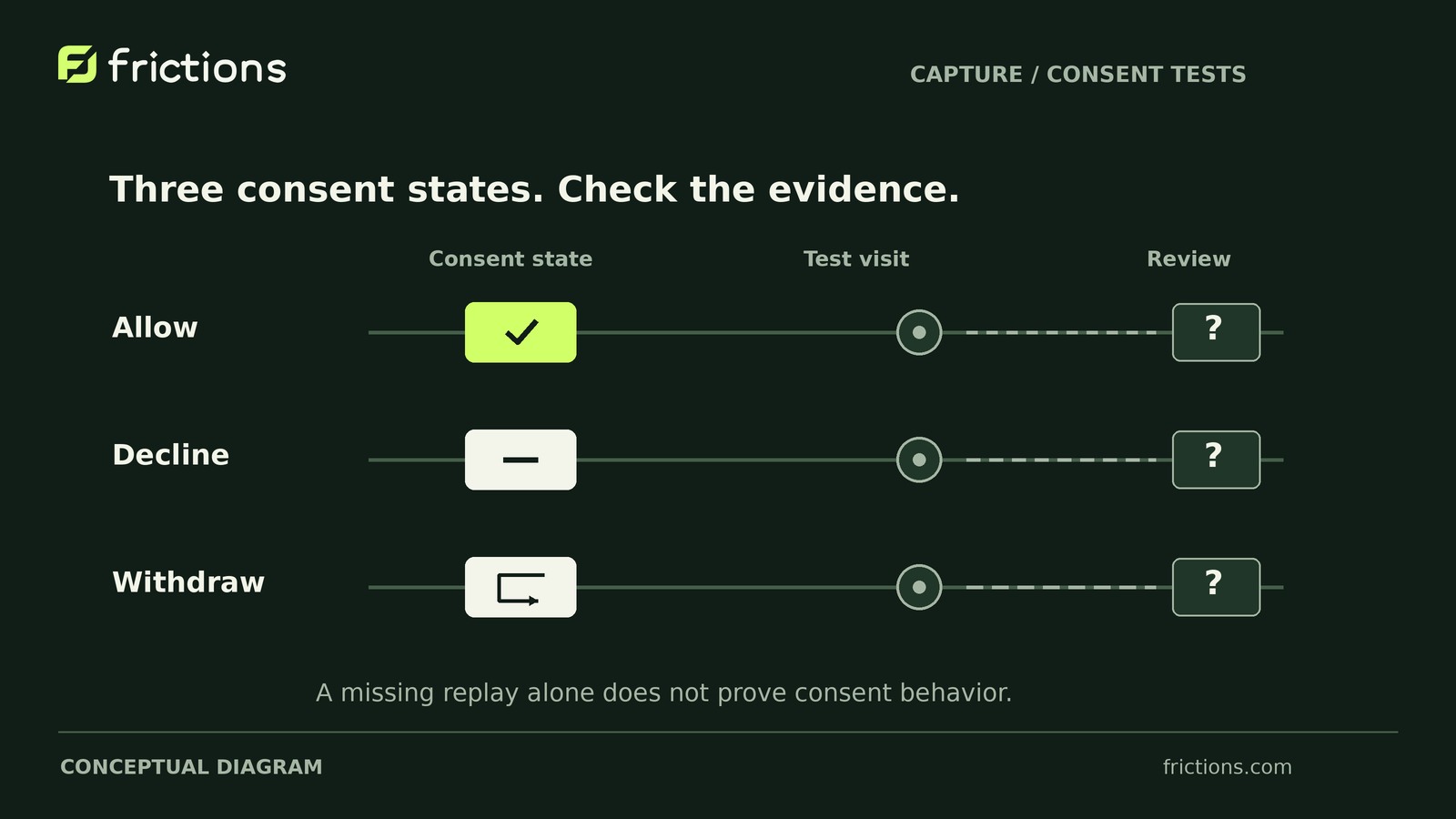
When a Frictions checkout recording is missing, start with a synthetic staging visit with affirmative analytics consent. Repeat the same journey with consent declined and withdrawn. An empty recordings list is an evidence gap, not proof of a trouble-free checkout.
Your deliverable is a timed capture-test record showing expected versus observed behavior, verification status and an assigned follow-up. In version 1.1.2, Free provides the recorder, player, filters, diagnostics and consent/storage controls needed here. Pro is unnecessary and does not bypass recording or hosting limits.
Prepare the journey and test record
Use an existing installation on isolated staging with synthetic details, sandbox payments and isolated email. Disable real fulfillment and back up before configuration changes.
Check the documented setup requirements:
- WordPress 7.0+, WooCommerce 11.0+, PHP 8.4+ and transactional InnoDB tables.
- Classic shortcode checkout or Checkout Blocks, on the same origin as the capture API. Ask your developer to confirm that both use the same protocol, hostname and port.
- Cookiebot, CookieYes’s hosted web app or the documented custom consent bridge.
- Compatible Free and Pro versions if the optional add-on is installed.
Other checkout builders, order-pay pages and off-site payment pages are outside capture scope.
Keep capture paused while configuring consent, permissions and storage. Verify that unauthorized users cannot open recordings, then deliberately enable capture. Enabling the plugin does not grant shopper consent.
Use one short journey: interact with a non-payment field, scroll to another section and return. Stop before submission. Place the withdrawal midpoint after the first interaction.
Create a manual log before testing:
- Shared baseline: Product/platform versions, checkout type and origin, theme, gateway, browser and consent integration.
- Capture configuration: Capture state, actual storage budget and retention, relevant diagnostics and checked-at time.
- Each run: Consent condition; date and timezone; start/end, consent-change and review times; expected behavior; observed playback; verification status; unresolved question.
This is your working record, not an automatic plugin report. You can document the journey manually if replay is unavailable, but that does not verify capture.
Run three consent conditions
Start each run in a fresh browser context with no saved consent choice.
Acceptance: establish a positive control
Accept analytics consent and complete the journey. With eligibility and safety checks satisfied, expect a retained, playable checkout recording. Compare its timeline and event list with your manual timings.
Playback represents protected structure, safe labels, timing and normalized events—not pixel-identical video, entered values, original text, imagery or payment frames. Do not identify visits through customer values.
Decline: distinguish absence from prevention
Decline analytics consent and repeat the journey. The expectation is no new capture without affirmative consent.
Record whether matching playback is found. Missing playback alone does not verify prevention: recorder failure, filtering or retention could also produce absence.
Withdrawal: separate earlier and later activity
Accept consent, begin the journey and withdraw consent at the midpoint. Note the time, then finish the synthetic interactions.
The expectation is that subsequent capture stops. Earlier permitted capture may remain; withdrawal does not mean automatic deletion.
For decline and withdrawal, record which integration documentation you used, what you checked and what it established about capture—not merely the displayed consent choice. If suitable verification is unavailable, mark prevention unverified and assign the unresolved question to a developer. Do not treat playback as a per-visit consent audit.
If playback appears to include activity performed without valid consent, pause capture and investigate before recording real visits. Separately verify that checkout remains usable when recording is unavailable.
Hypothetical run outcomes
Suppose the same journey produces these observations. All times are invented UTC times on one staging-test day, not product test results or required waiting periods.
- Acceptance: Consent accepted at 14:00; journey ends at 14:01; reviewed at 14:05. The expected structural sequence plays. Playback availability is established for this run.
- Decline: Consent declined at 14:10; journey ends at 14:11; reviewed at 14:15. No matching replay is found. Prevention remains unverified.
- Withdrawal: Consent accepted at 14:20 and withdrawn at 14:20:30; journey ends at 14:21; reviewed at 14:25. Playback shows only earlier interactions. Prevention remains unverified.
No supporting integration checks were performed in this example. The next action is developer verification of the recorder’s response to decline and withdrawal—not marking both tests passed.
Investigate a missing accepted control
1. Check the installation and filters. Confirm you are reviewing staging, clear active recordings-list filters and look for the timed run again. If it appears, record a visibility issue and continue the consent tests without changing capture settings.
2. Inspect capture state and diagnostics. Capture starts paused. If currently paused, investigate why before retrying. Current diagnostics support investigation; they do not explain every missing visit.
3. Recheck consent and scope. Confirm affirmative analytics consent, the configured integration, supported checkout type and same-origin requirement. Never disable consent to obtain evidence.
4. Check storage. Capture pauses at the storage boundary. Inspect the recording budget and hosting resources. That budget is not total database, index or backup usage.
5. Check retention and cleanup. Compare the test time with actual retention. Bookmarks still expire. Cleanup depends on WordPress scheduled tasks; expired recordings become unreadable even if physical cleanup is delayed.
If a relevant change is justified, change only that condition, log it and repeat acceptance. Once the control plays, repeat decline and withdrawal. Otherwise, preserve the unresolved failure for developer investigation rather than changing settings speculatively.
After a backup restore, keep capture paused while reviewing deletion, retention, consent, access and scheduled jobs.
Finish with an assigned next test
A missing positive control calls for capture troubleshooting. A playable control with unverified prevention calls for consent-integration investigation. Apparent capture without valid consent calls for pausing capture before further live recording.
An uncaptured or expired visit cannot be reconstructed. This exercise does not explain every historical gap, establish complete live coverage, or guarantee anonymity or legal compliance. Share only sanitized configuration facts and synthetic observations.