Return to useful filters
Save a named view, then rename, update or duplicate it. Find your assignments, unassigned investigations and new evidence in My review queue.

One complete player. More ways to follow up.
Free records eligible checkout visits and lets you review them. Pro adds saved views, shared investigations and a clearer handoff to your developer.
Free and Pro, side by side
Free has no trial deadline or account requirement. All Pro plans add the same tools; the site allowance is the difference.
| What you need | Free | Free + Pro |
|---|---|---|
| Local checkout recording and full structural player | Included | Included |
| Filters, issue observations, bookmarks and watched state | Included | Included |
| Eligible local order shortcuts and replay export | Included | Included |
| Consent, access, deletion, retention and storage controls | Included | Included |
| Guided investigations, personal queue and new-evidence tracking | Not included | Included |
| Saved filter views with editing and duplication | Not included | Included |
| Team notes, investigation owners and statuses | Not included | Included |
| Retained evidence and checkout change comparisons | Not included | Included |
| Developer briefs: copy, print, Markdown and JSON | Not included | Included |
| Optional issue alerts and weekly summaries | Not included | Your WordPress mail |
Pro extends Free; keep both active. A new Pro installation requires a valid first licence activation. Pro does not increase recording limits or extend recording retention.
Included in Free
Filter by date, device, browser, checkout type, outcome, issue, duration or watch status. Open a matching replay and inspect the timeline and events.
Bookmark useful examples, mark them watched, export a replay or follow an eligible local order shortcut. The protected player is complete in Free.
Try the Free workspace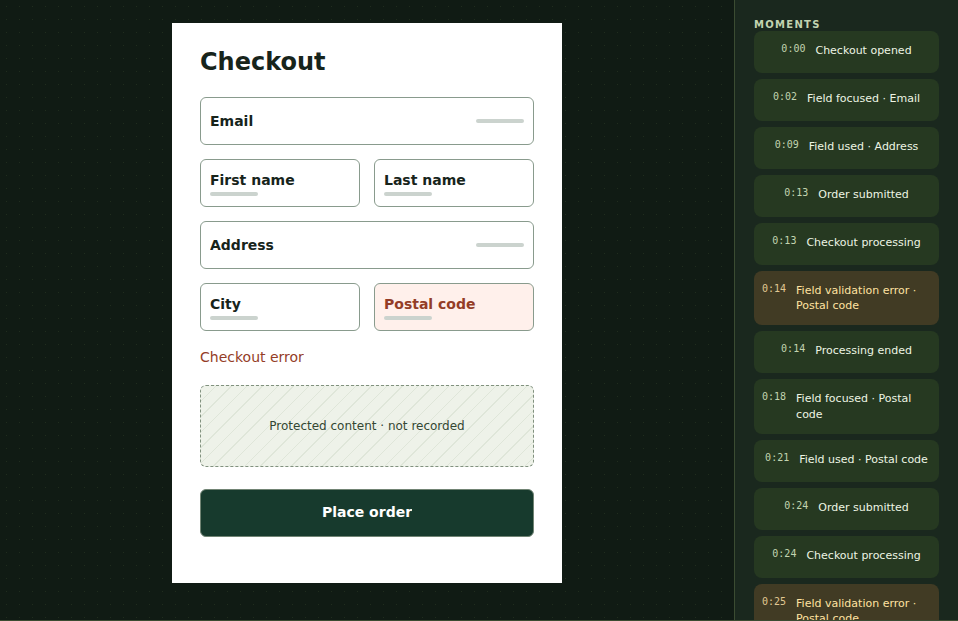
Add Pro for the follow-up
Useful for a solo owner working with a developer, or a team reviewing recurring issues.
Save a named view, then rename, update or duplicate it. Find your assignments, unassigned investigations and new evidence in My review queue.
Add timestamped notes, assign eligible staff and choose Open, Investigating or Monitoring. Authors can edit their own notes with conflict protection.
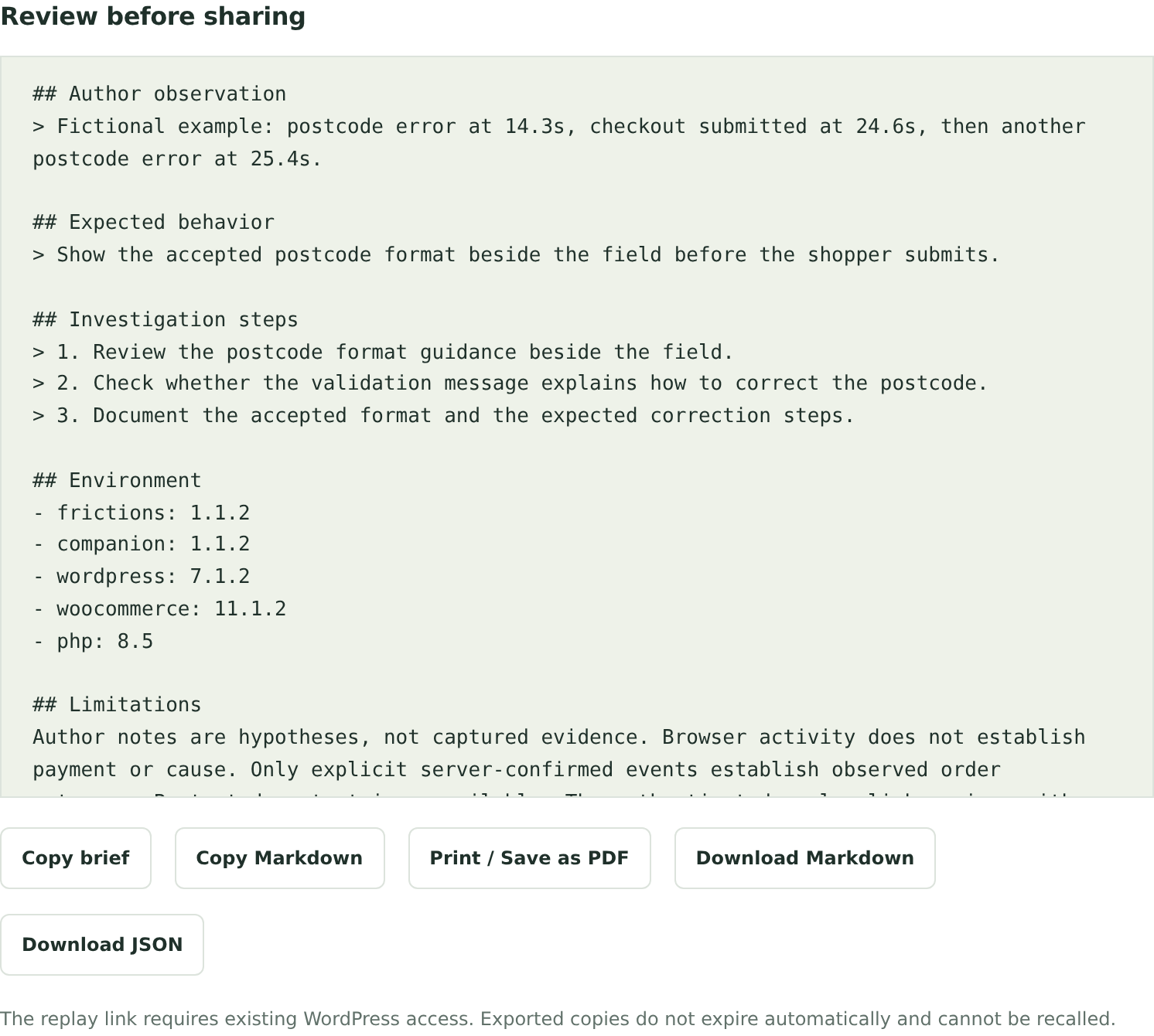
Choose a moment and range, describe observed and expected behavior, then copy text or Markdown, download Markdown or JSON, or print and save a PDF through your browser.
Compare retained evidence across periods, devices or a labelled checkout change. Optional alerts and weekly summaries start disabled and use your own WordPress account email and store mail setup.
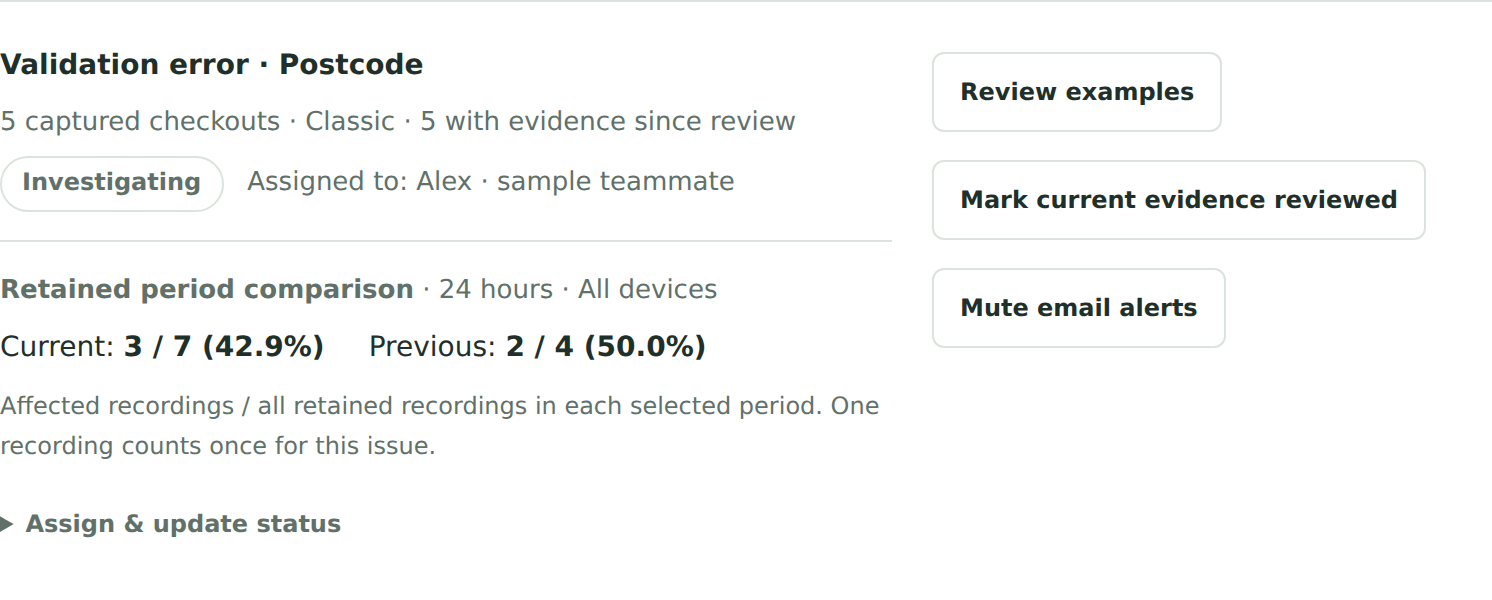
Statuses are your assessment. Comparisons include only retained eligible evidence; a recent checkout change has an incomplete after period. Neither a lower count nor an investigation status proves a cause, a successful fix or higher sales.
A practical example
In Free, find the issue and watch the surrounding moments. In Pro, save the filters, assign the investigation and prepare a brief asking your developer to check the format guidance and validation message.
Mark reviewed evidence so new observations stand out. This is a fictional workflow, not a result from your store.
Stored on your hosting
Both editions use the same consent, access, retention and storage controls. No commercial monthly recording count; your selected storage budget and retention still apply.
Recordings and review data stay in your WordPress database. Capture requires affirmative analytics consent. Entered field values, payment frames, product content, images and arbitrary page text are excluded. The player reconstructs protected structure, not a pixel-perfect copy of your store.
Bookmarks and notes do not extend expiry. Pro briefs are shared by you; replay links still require authorized WordPress access. Public replay-sharing links, whole-site recording and network activation are not included. Read the setup and consent guide.